01
Draw geometry
Build the structure from boxes, cylinders, domes and sketched outlines, then join or cut them. Variables keep dimensions editable. Or type a building file by hand.
Draw or import your building, run an IEC 62305 rolling-sphere exposure analysis for its lightning protection class, and place air terminals exactly where the strike points are. Then issue a PDF report. Nothing to install.
Each step feeds the next, so the building you draw is the building you analyse and protect.
Build the structure from boxes, cylinders, domes and sketched outlines, then join or cut them. Variables keep dimensions editable. Or type a building file by hand.
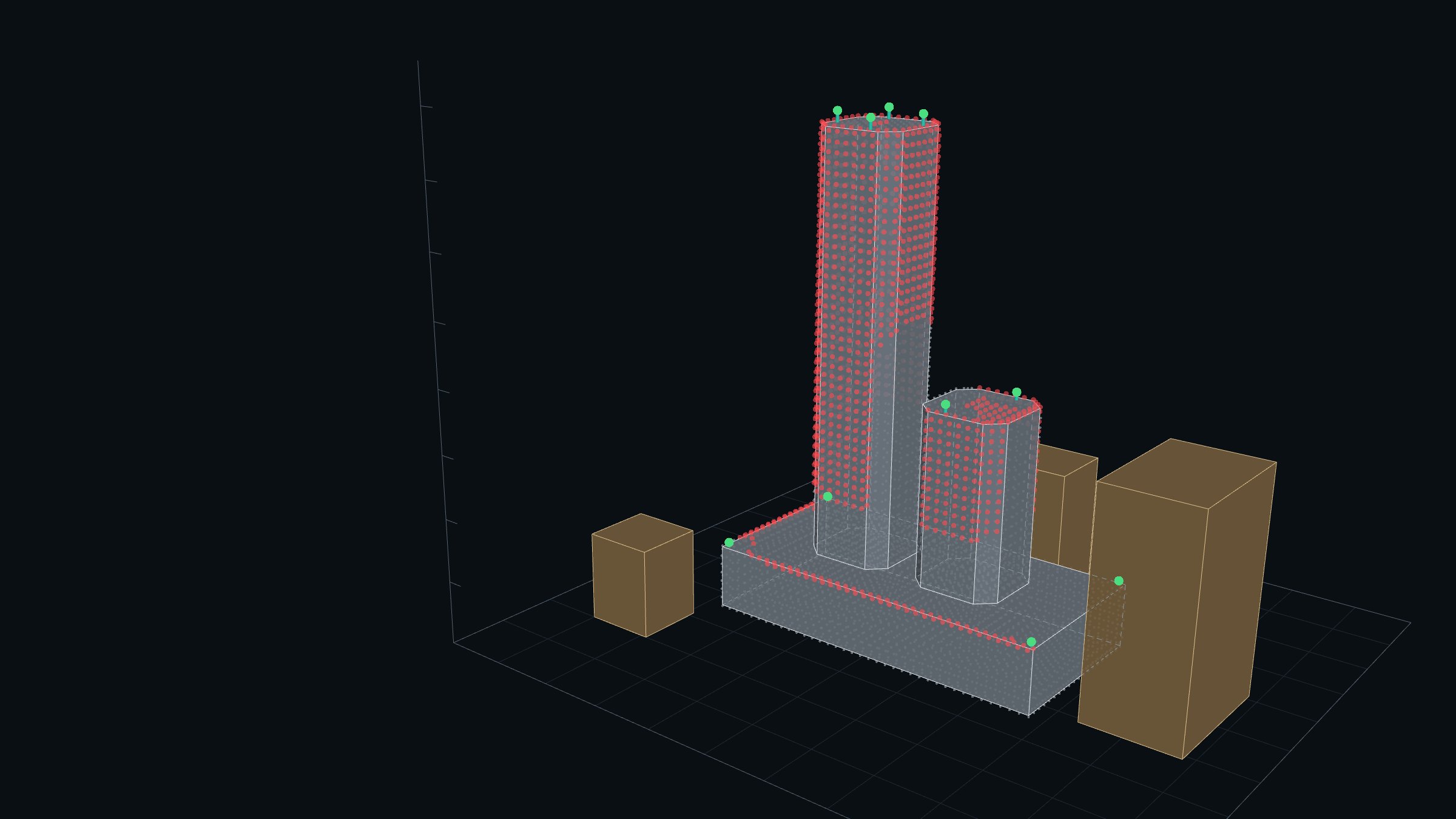
Pick the protection class. LPCAD rolls the sphere over the building and marks the exposed points: where a strike can land.
Click on the building to place 0.25, 1 or 3 m rods, then re-run the analysis. Red points the rods now protect disappear, so you can see what is still exposed.
Lightning protection design software built around the IEC 62305-3 rolling-sphere method, not a general CAD package.
Shapes, cuts, joins, moves and repeats as an editable list of steps. Change a variable and the building updates.
Type a building as a readable .txt file, or (Pro) import AutoCAD 3-D geometry as DXF, STL or OBJ. Layers become the main building or nearby buildings.
IEC 62305-3 protection classes I to IV with R = 20, 30, 45 or 60 m. Nearby buildings shield the structure; the sample spacing is yours to set.
Vertical rods of 0.25, 1, 3 m or a custom height (9.5 mm diameter). Place, drag or type exact positions, re-run, and see which rods take the strikes.
One click gives an A4 report with the settings, exposed points, the air-terminal schedule, a 3-D view, plan and elevations.
Open lpcad.app in any modern browser on Windows, Mac or Linux and start designing. No downloads, no licence keys, always the latest version.
Every design feature is in both plans. Pro takes larger buildings (counted in vertices, the corner points), imports CAD geometry and gives reports without the LPCAD watermark.
For simple and benchmark buildings.
For real projects of any complexity.
No card needed. Trial reports carry a TRIAL watermark; subscribe for clean reports. One trial per person.